
Create WhatsApp Stickers (16:9, 8 Stickers)
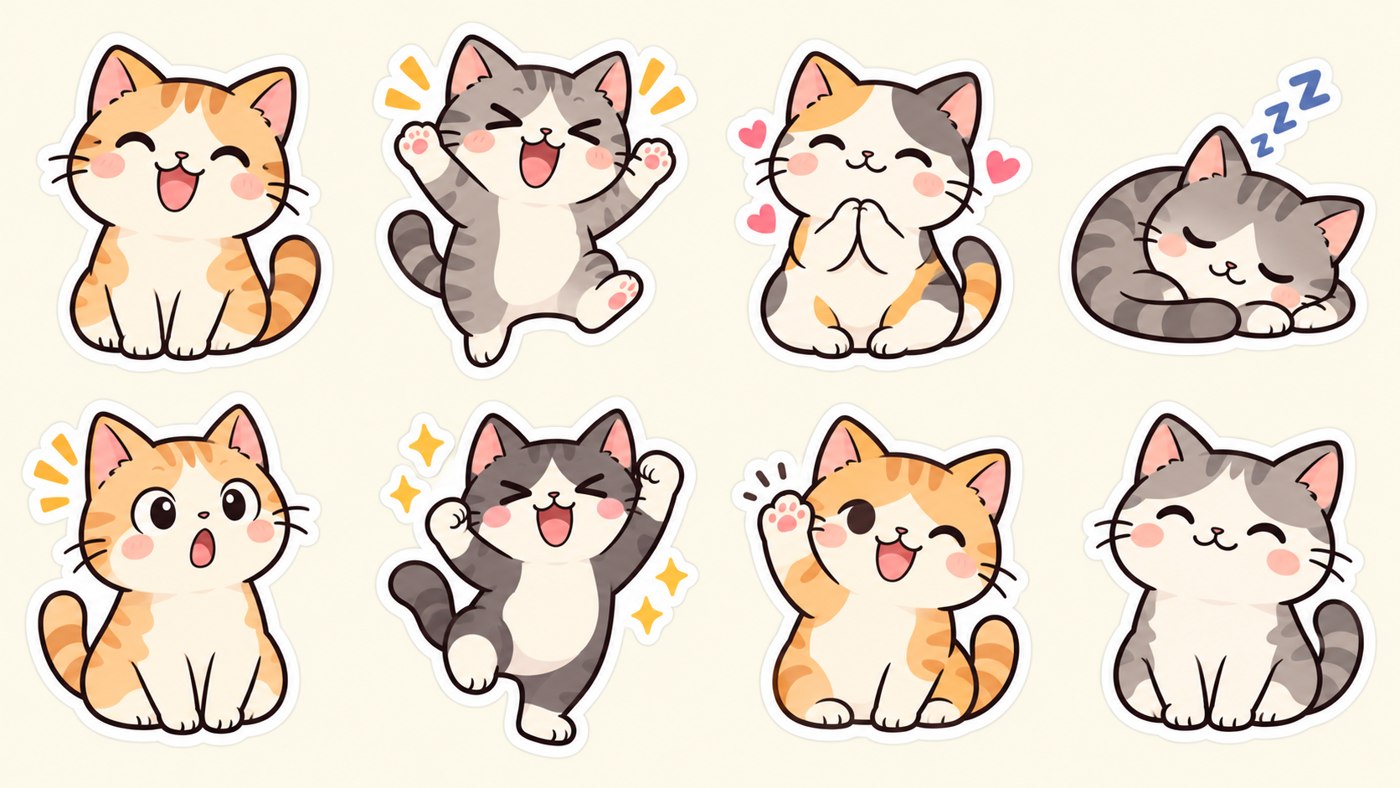
Create a WhatsApp sticker sheet in a 16:9 aspect ratio containing exactly 8 stickers, arranged in a clean 4x2 grid. Base all stickers on [character / subject / theme]. Keep one consistent art style across all 8 stickers…
Original copy-ready text
Create a WhatsApp sticker sheet in a 16:9 aspect ratio containing exactly 8 stickers, arranged in a clean 4x2 grid.
Base all stickers on [character / subject / theme].
Keep one consistent art style across all 8 stickers — same line weight, same color palette, same shading style, and consistent character proportions.
Make each sticker show a different emotion or reaction: [e.g., laughing, shocked, crying, angry, thinking, in love, thumbs up, saying thank you].
Use bold outlines, simple exaggerated shapes, and expressive facial features.
Place each sticker fully inside its own grid cell with equal spacing and safe margins.
Do not crop any sticker.
Do not allow stickers to overlap or bleed into adjacent cells.
Do not add text, numbers, labels, logos, or watermarks.
Make each sticker expressive and instantly recognizable, even at a small size.
Use a clean, simple background that makes every sticker easy to separate and crop.
Create a polished sticker sheet that is easy to divide into 8 individual WhatsApp stickers.
Sample image
Exact prompt text from the public post or author comment · Attribution: Kelas Multimedia